SRT Probe
🌐 Network testing tool for SRT protocol



SRT Probe is a network testing and performance measurement tool for connections using the SRT (Secure Reliable Transport) protocol.
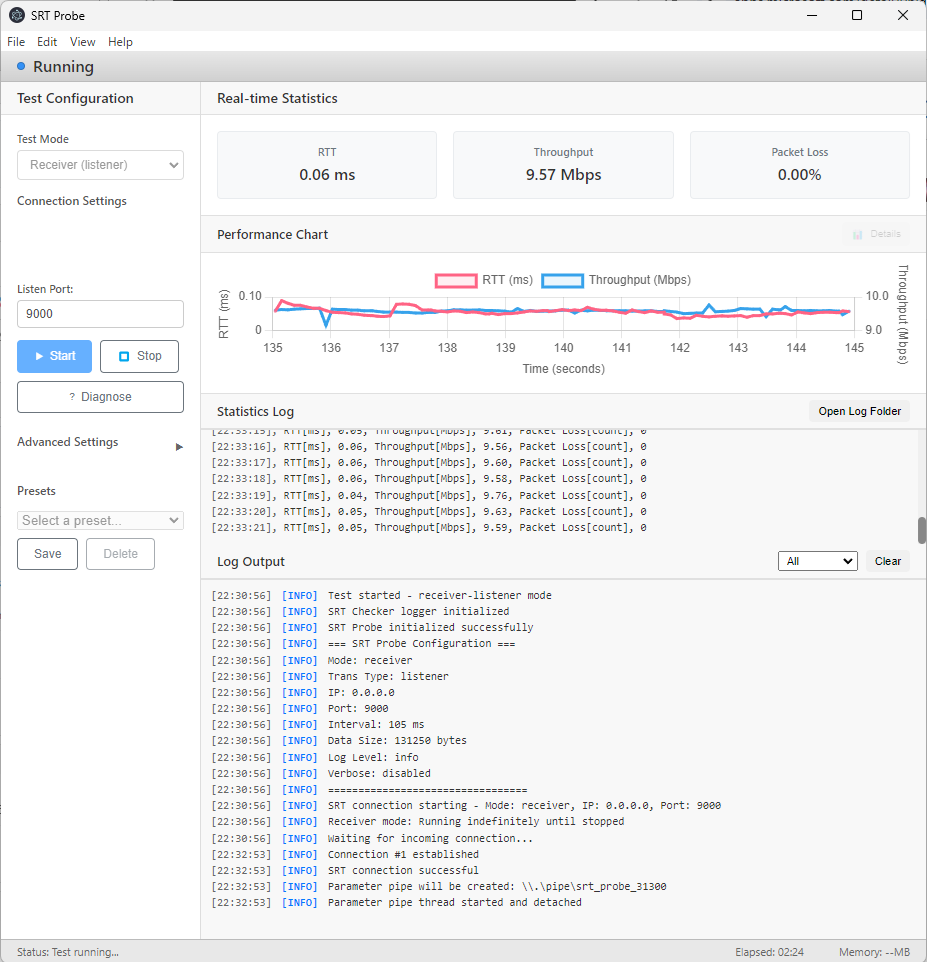
It visualizes real-time statistics such as RTT, throughput, and packet loss, supporting network quality evaluation.
Designed for connection testing only, it does not handle video/audio input/output.
✨ Key Features
- 📊 Real-time Statistics: Instantly displays RTT, throughput, and packet loss
- 📈 Performance Charts: Dynamic graph visualization
- 🔄 6 Sender/Receiver Modes: Caller, Listener, and Rendezvous combinations for both sender and receiver workflows
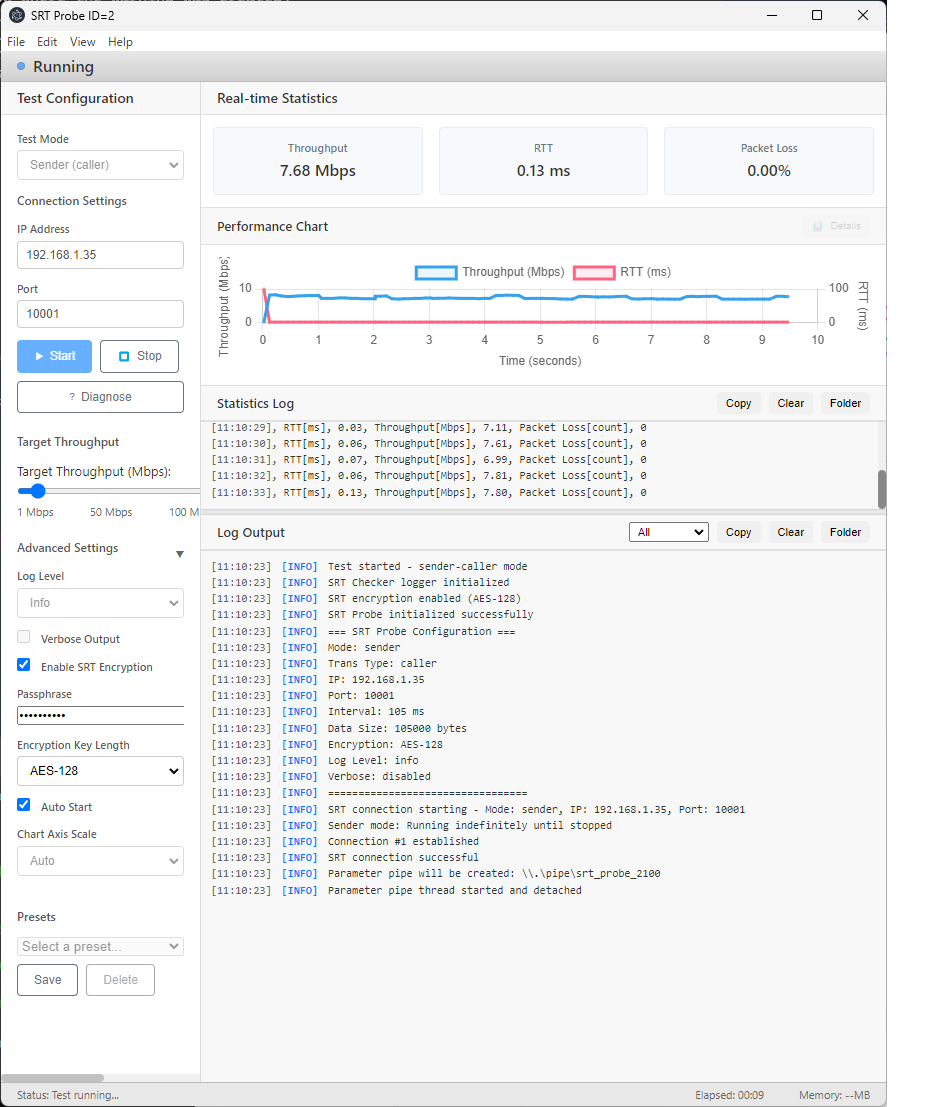
- 🔐 SRT Encryption Settings: Configure a passphrase and AES key length for encrypted SRT tests
- 🎯 Target Throughput Control: Set the target throughput from 1 to 100 Mbps and adjust it while a test is running
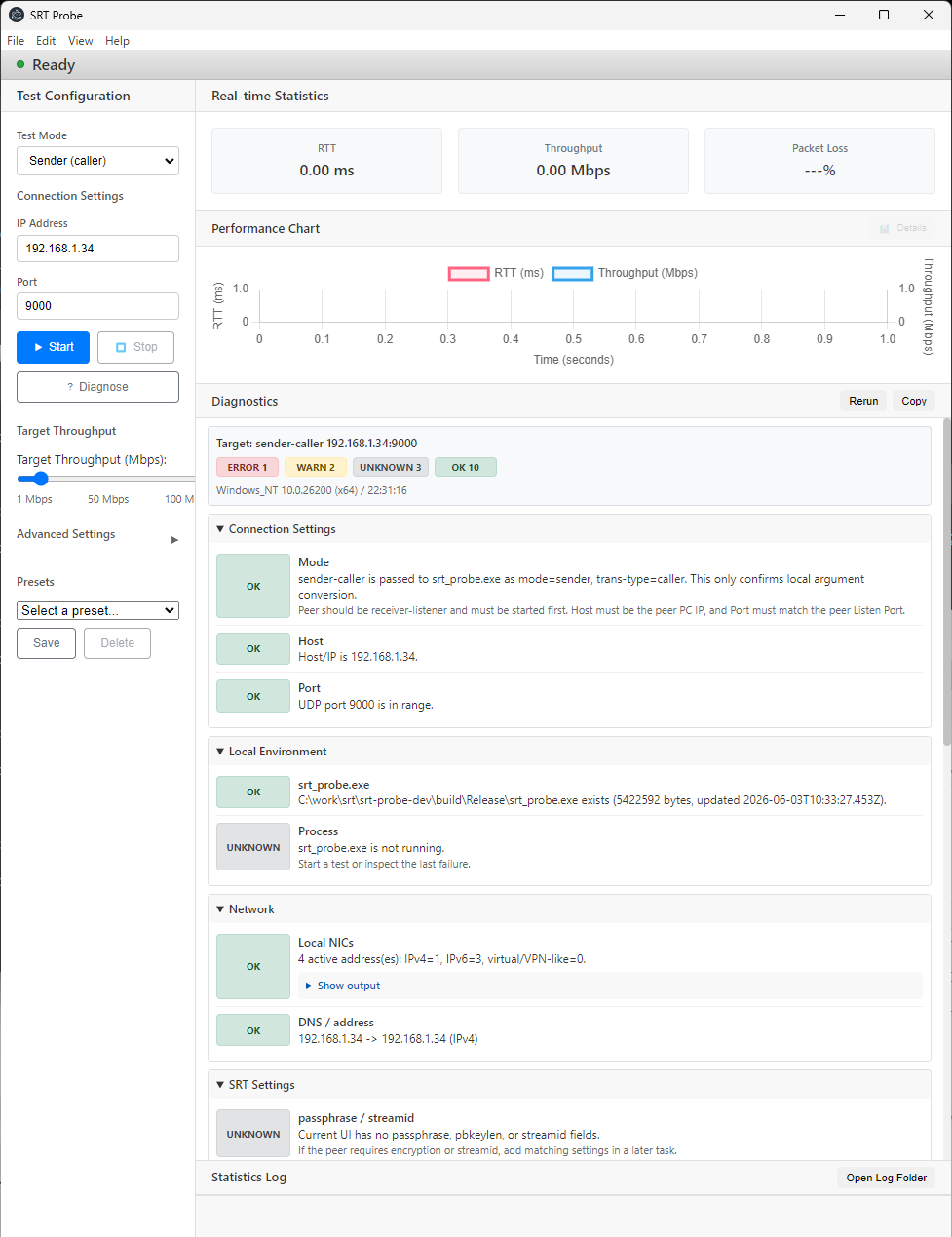
- 🧪 Connection Diagnostics: Check settings, local encryption settings, local network information, executable status, routing hints, Windows Firewall state, and recent logs
- 📋 Copyable Diagnostic Reports: Copy diagnostic results as text for issue reports and support requests, or hide them when you do not need the panel
- 🧭 Connection Mode Guide Logs: Show the next peer-side startup action when you select a test mode
- 🧾 Test Summary Logs: Output start time, stop time, duration, mode, throughput, RTT, packet loss, and result when stopping a test
- 🧾 Automatic Log Saving: Save statistics logs and regular logs automatically as per-instance local files
- 📂 Log Folder Buttons: Open the shared log save folder directly from Statistics Log and Log Output
- 📐 Resizable Log Areas: Adjust the statistics log and regular log display heights and keep the layout for the next launch
- 📈 Chart Axis Options: Use automatic or fixed vertical axes for performance charts
- ▶️ Auto Start: Start a test automatically after launch with the selected settings
- 💾 Presets: Save, load, and delete frequently used connection settings
- 🪟 Window State Restore: Reopen the app with the previous window size and position
- 🌍 5 Languages: English, Japanese, Chinese, Korean, and Spanish
Target Users
- SRT tool developers, network administrators
🚀 Network Configuration
graph LR
    Sender["Sender (Caller)"]
    Network["<small>Network</small><br/><small>(Internet)</small>"]
    Receiver["Receiver (Listener)"]

    Sender -->|SRT| Network
    Network -->|SRT| Receiver

    style Sender fill:#A8D5FF,stroke:#4A90E2,color:#000
    style Receiver fill:#90CAF9,stroke:#1976D2,color:#000
    style Network fill:#FFFFFF,stroke:#CCCCCC,color:#000
System Requirements
What’s New in 1.0.8
- Added SRT encryption settings, allowing the passphrase and AES key length to be selected.
- Added connection-mode startup guidance to the regular log when Test Mode is selected.
- Added a Test Summary to the regular log when stopping a test, including start time, stop time, duration, mode, throughput, RTT, packet loss, and result.
- Added Folder buttons to the Statistics Log and Log Output headers so the shared log save folder can be opened directly.
Screenshots
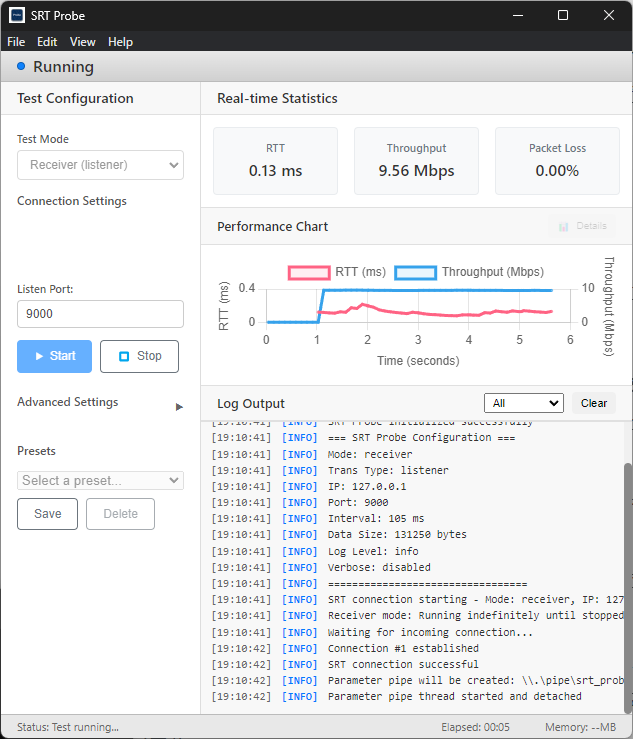
Receiver Mode
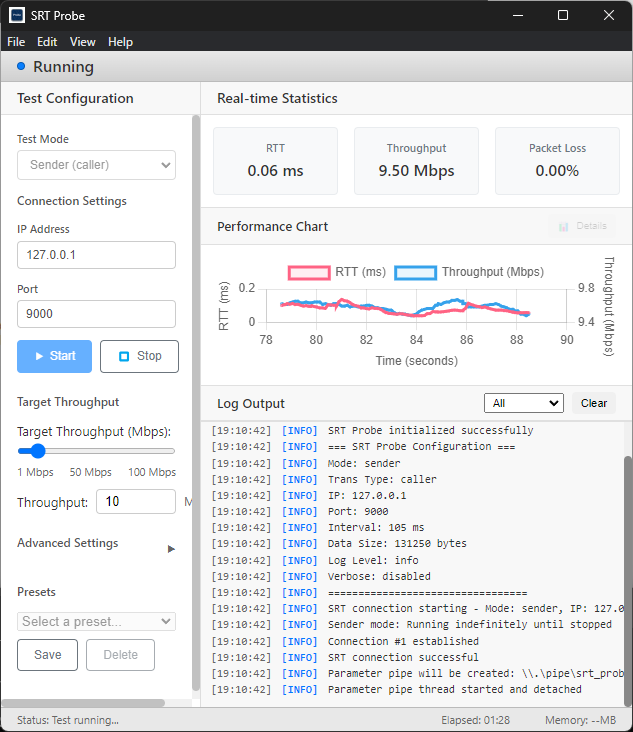
Sender Mode
Encryption Settings
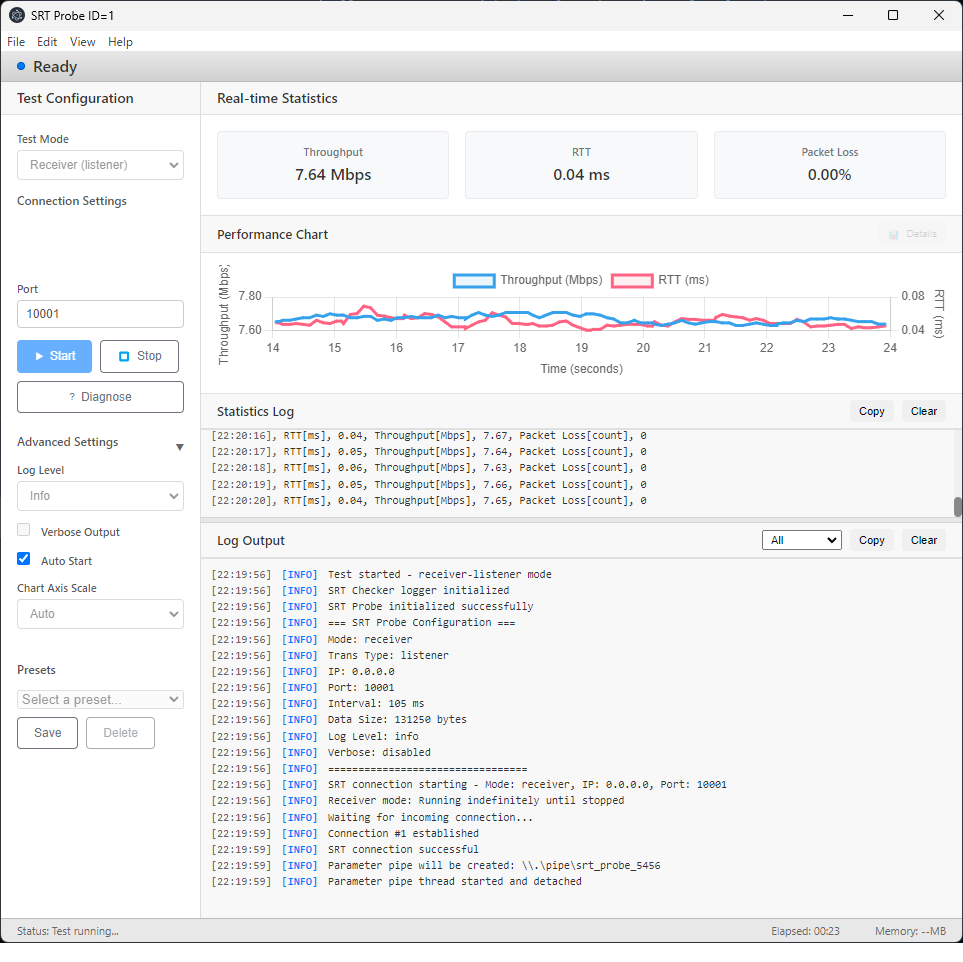
Mode Guide and Test Summary Logs
Diagnostics and Logs
Statistics and Results
🚀 How to Use
1. Launching the Application
Double-click the SRT Probe icon on your desktop or launch it from the Start menu.
2. Receiver (Receiving Side)
- Test Mode
Receiver (listener): Waits for connection from the other side as a server and receives data
- Listen Port: Port number to use (default: 9000)
- Click the Start Test button to begin testing
3. Sender (Sending Side)
- Test Mode
Sender (caller): Connects to the other side as a client and sends data
- Destination IP: IP address to connect to (e.g.,
192.168.1.100)
- Destination Port: Port number to use (default: 9000)
- Click the Start Test button to begin testing
📦 Installation
Microsoft Store
Download and install version 1.0.8 from the Microsoft Store page:
Outside Microsoft Store
-
Download version 1.0.8 from the Releases page
-
Run the installer
-
After installation completes, launch from the desktop shortcut or Start menu
Detailed Guide
For detailed usage instructions, please refer to the Detail Page.
🔧 Troubleshooting
If you encounter any issues, please refer to the Troubleshooting Guide.
🤝 Support
Bug Reports & Feature Requests
If you discover a problem or have a suggestion for a new feature, please let us know via: