

SRT MPEG-TS/H.264 real-time preview viewer for Windows
🌐 Languages: English 日本語 中文 한국어 Español
SRT Preview receives MPEG-TS/H.264 streams via SRT protocol and displays video in real-time. It decodes H.264 using Windows Media Foundation and shows live statistics such as bitrate, RTT, and packet loss.
graph LR
    Sender["FFmpeg / Encoder<br/>(SRT Caller)"]
    Network["Network<br/>(LAN / Internet)"]
    Receiver["SRT Preview<br/>(SRT Listener)"]

    Sender -->|SRT + MPEG-TS| Network
    Network -->|SRT + MPEG-TS| Receiver

    style Sender fill:#A8D5FF,stroke:#4A90E2,color:#000
    style Receiver fill:#90CAF9,stroke:#1976D2,color:#000
    style Network fill:#FFFFFF,stroke:#CCCCCC,color:#000
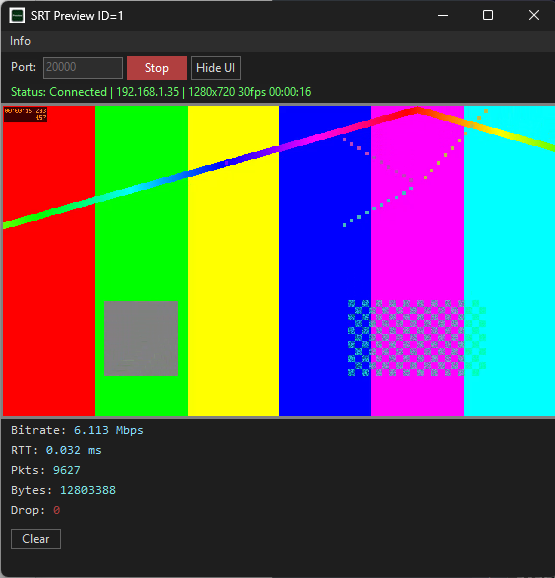
Start SRT Preview, enter Stop and a port number, and click Listen.
Send an MPEG-TS/H.264 stream from FFmpeg or any SRT-compatible encoder:
ffmpeg -re -f lavfi -i testsrc2=size=1280x720:rate=30 \
  -pix_fmt nv12 -c:v h264_mf -b:v 6M \
  -f mpegts srt://127.0.0.1:9000
Video appears in the preview window with real-time connection statistics.
Click Hide UI to switch to full video display. Right-click to restore controls.