

Windows SRT stream redundancy proxy with one input and two selectable outputs
Languages: English 中文 한국어 Español
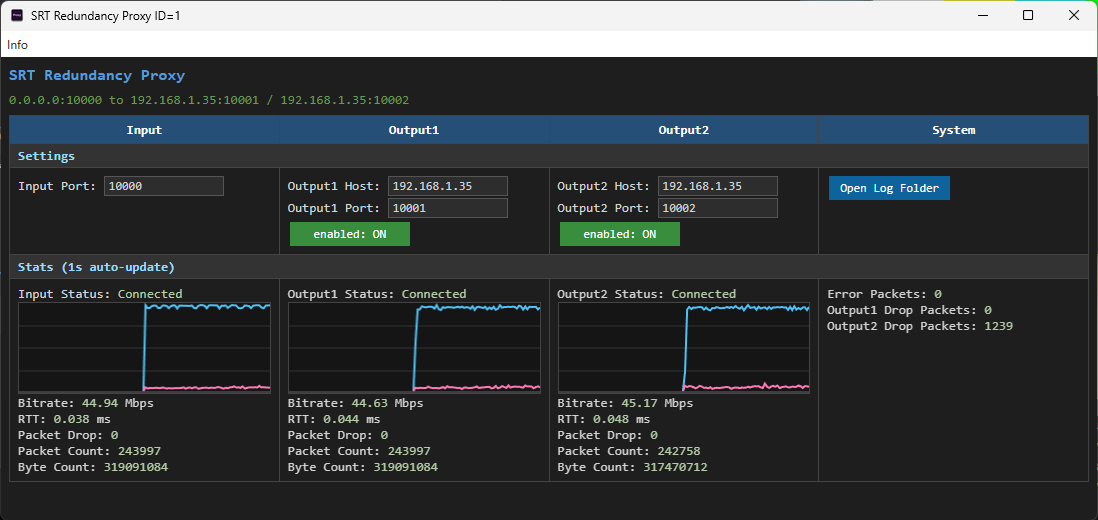
SRT Redundancy Proxy receives one SRT stream and forwards it to up to two SRT destinations on Windows. It is designed for redundant contribution and monitoring workflows where the same MPEG-TS stream should be relayed to multiple receivers.
graph LR
    Sender["SRT Sender<br/>(Caller)"]
    App["SRT Redundancy Proxy<br/>(Input Listener)"]
    Network["Network<br/>(LAN / Internet)"]
    Receiver1["Output1 Receiver<br/>(SRT Listener)"]
    Receiver2["Output2 Receiver<br/>(SRT Listener)"]

    Sender -->|SRT + MPEG-TS| App
    App -->|SRT + MPEG-TS| Network
    Network --> Receiver1
    Network --> Receiver2

    style Sender fill:#D7F4D2,stroke:#3C8D40,color:#000
    style App fill:#A8D5FF,stroke:#4A90E2,color:#000
    style Receiver1 fill:#90CAF9,stroke:#1976D2,color:#000
    style Receiver2 fill:#90CAF9,stroke:#1976D2,color:#000
    style Network fill:#FFFFFF,stroke:#CCCCCC,color:#000
Start one or two SRT listeners on the receiving machines. For a quick test, use FFplay:
ffplay "srt://0.0.0.0:9100?mode=listener"
ffplay "srt://0.0.0.0:9200?mode=listener"
Launch SRT Redundancy Proxy and set the input port and output destinations.
By default, the app listens on input port 9000 and forwards to 127.0.0.1:9100 and 127.0.0.1:9200.
Send an SRT stream to the proxy input port from an encoder, FFmpeg, or another SRT sender:
ffmpeg -re -i input.ts -c copy -f mpegts "srt://127.0.0.1:9000?mode=caller"
The app updates connection status and statistics every second. Use the Output1 and Output2 toggles to control each forwarding path.